
iGemology4.5.1 - App Store
You'll be able to see results in few seconds.
Publisher Description

PLEASE READ DESCRIPTION! APPLICATION FUNCTIONALITY IS ACCURATELY DESCRIBED, NO MORE, NO LESS. THANK YOU.
"iGemology" is a full featured professional application that assist Gem Trade Professionals & Gem Enthusiasts in weight estimation of a mounted gemstone(s), identification & evaluation of commonly encountered gems in the industry.
Programmed & designed by a verifiable Graduate Gemologist for Gem Trade Professionals and Gem Enthusiasts.
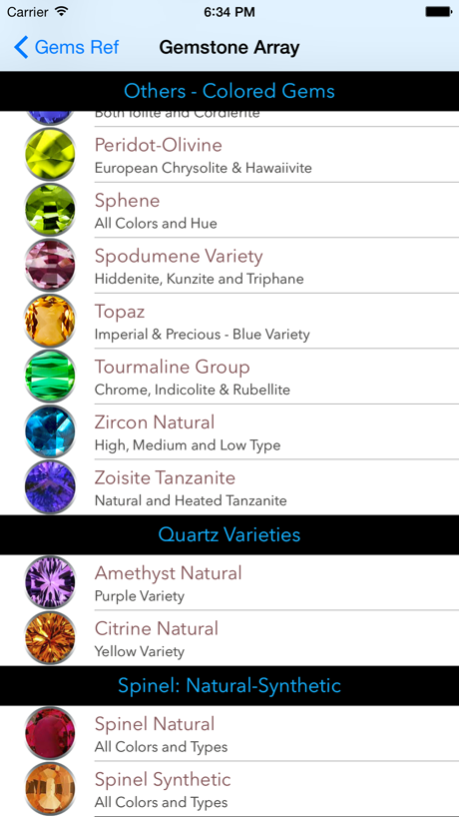
Colored Stones included are: Andalusite, Apatite, Benitoite, Beryl (Aquamarine, Heliodor, Morganite,and all Colored, Emerald both Syn & Natural), Chrysoberyl, Alexandrite, (Colored, Synthetic & Natural), Corundum (Blue Sapphire, Ruby and Fancy Sapphire, Pink Sapphire, etc. - both Natural & Synthetic), Diamonds Natural, Diopside, Garnet (Almandite, Andradite, Grossularite, Malaia, Pyrope, Rhodolite & Spessartite), Iolite, Peridot, Quartz (Amethyst & Citrine - no AGG yet), Sphene, Spinel Natural (No Synthetic yet), Spodumene (kunzite), Topaz, Tourmaline, Zoisite and Zircon.
Stones with low desirability due to Poor Physical Properties and/or Optical Properties have been initially excluded. These stones only have value to a narrow segment of the scientific community e.g., "Mineralogist".
Efficient & Intuitive! Open the App, Do Your Business and Get Out in no time! No Manual, No Video. Designs based on how a gemologist, jeweler and professional would approach their daily gem interactions.
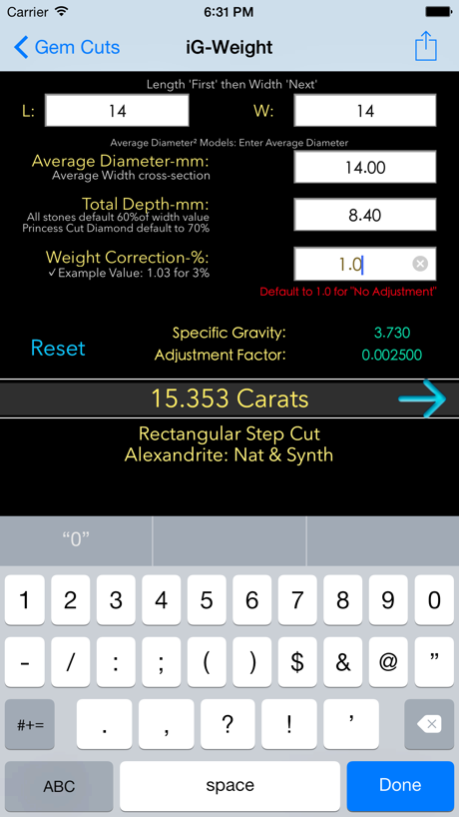
Weight Estimation include "Forget Not Feature" or the ability to reference current gem's cut style, so users can focus on detailed measurements. Great feature when working with multiple gems w/ multiple shapes.
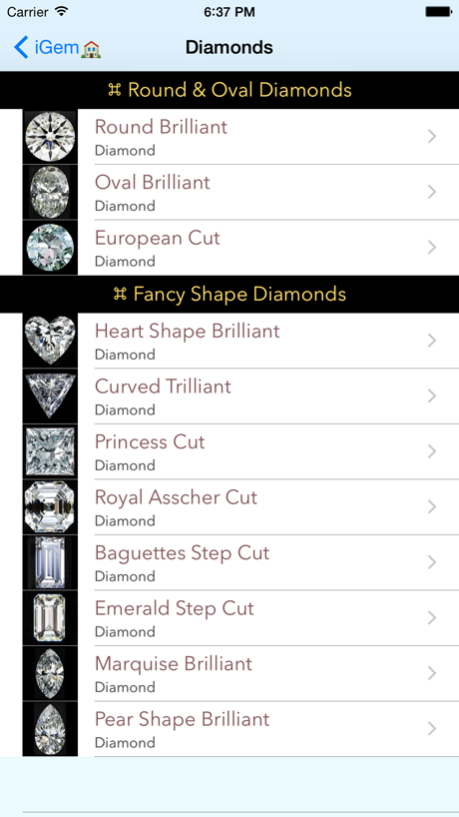
In addition to 11 established Diamonds Cuts Array, Weight Estimator functions provides 14 "Established" Faceted Colored Stone Cuts with 60 combination Gem Species and Varieties, delivering a total of "840" Gem Counts without 'redundant' gem entries seen in other substandard application.
These can all be leveraged on your iOS devices. More gems will be added on subsequent updates.
Entering Length & Width values automatically populates Average Diameter or Average Width and Total Depth as well. Major convenience when working on Ideal, Excellent and Very Good Proportioned Gems
Gem Reference Section, provides quick Gem Info. If required, a detailed Physical and Optical Properties with Spectra Readings of commonly encountered Gems is tap away.
Size to Weight Tables of Diamonds (All Shapes) and Colored Gems are included for quick reference.
Gem Weight Estimation Formulas for educational and refresher purposes are included as well.
Oct 10, 2014
Version 4.5.1
This app has been updated by Apple to display the Apple Watch app icon.
Removed text appearing besides some buttons.
Full support for taking images can be leveraged only through the iPhone's "Powerful " Camera App. Users are advised to access jewelry photos from within Photo Library.
Implemented minimum compatibility on iPhone 6.0, iPhone 6 plus and iOS 8.0. This is the last minor update after which, iGemology will be re-written for full adoption, compatibility and support for iOS 8.0.
About iGemology
The company that develops iGemology is Third Vision Arts LLC. The latest version released by its developer is 4.5.1.
To install iGemology on your iOS device, just click the green Continue To App button above to start the installation process. The app is listed on our website since 2014-10-10 and was downloaded 0 times. We have already checked if the download link is safe, however for your own protection we recommend that you scan the downloaded app with your antivirus. Your antivirus may detect the iGemology as malware if the download link is broken.
How to install iGemology on your iOS device:
- Click on the Continue To App button on our website. This will redirect you to the App Store.
- Once the iGemology is shown in the iTunes listing of your iOS device, you can start its download and installation. Tap on the GET button to the right of the app to start downloading it.
- If you are not logged-in the iOS appstore app, you'll be prompted for your your Apple ID and/or password.
- After iGemology is downloaded, you'll see an INSTALL button to the right. Tap on it to start the actual installation of the iOS app.
- Once installation is finished you can tap on the OPEN button to start it. Its icon will also be added to your device home screen.
Program Details
System requirements
Download information
Pricing
Version History
version 4.5.1
posted on 2014-10-10
Oct 10, 2014
Version 4.5.1
This app has been updated by Apple to display the Apple Watch app icon.
Removed text appearing besides some buttons.
Full support for taking images can be leveraged only through the iPhone's "Powerful " Camera App. Users are advised to access jewelry photos from within Photo Library.
Implemented minimum compatibility on iPhone 6.0, iPhone 6 plus and iOS 8.0. This is the last minor update after which, iGemology will be re-written for full adoption, compatibility and support for iOS 8.0.
version 4.5.1
posted on 2011-07-11
Disclaimer
Official App Store Link
We do not host iGemology on our servers. We did not scan it for viruses, adware, spyware or other type of malware. This app is hosted by Apple and passed their terms and conditions to be listed there. We recommend caution when installing it.
The App Store link for iGemology is provided to you by apps112.com without any warranties, representations or guarantees of any kind, so access it at your own risk.
If you have questions regarding this particular app contact the publisher directly. For questions about the functionalities of apps112.com contact us.
